How I Built a Smart Server Rack Cooling System with ESP32 and Home Assistant
My 12U network rack houses a Synology NAS and a few SFF servers running ML workloads. Ventilation was absolutely necessary - but the existing options weren’t cutting it.
Running fans at a constant low speed led to high temperatures, especially in summer. Running them at 100% kept the rack (and especially the NAS disks) cool, but was annoyingly loud. The prebuilt option from my rack manufacturer - a Digitus DN-19 FAN-2-HO - was expensive, ugly, and analog-only. No smart control, no automation.
I needed something better.
The Solution: ESP32 + PWM Fans
Section titled “The Solution: ESP32 + PWM Fans”The idea was simple: put 12V PWM fans (Arctic P12 Max) into the fan cutouts at the top of the rack and control them with an ESP32. With PWM control, the fans can spin down to a full stop when idle and ramp up only when actually needed.
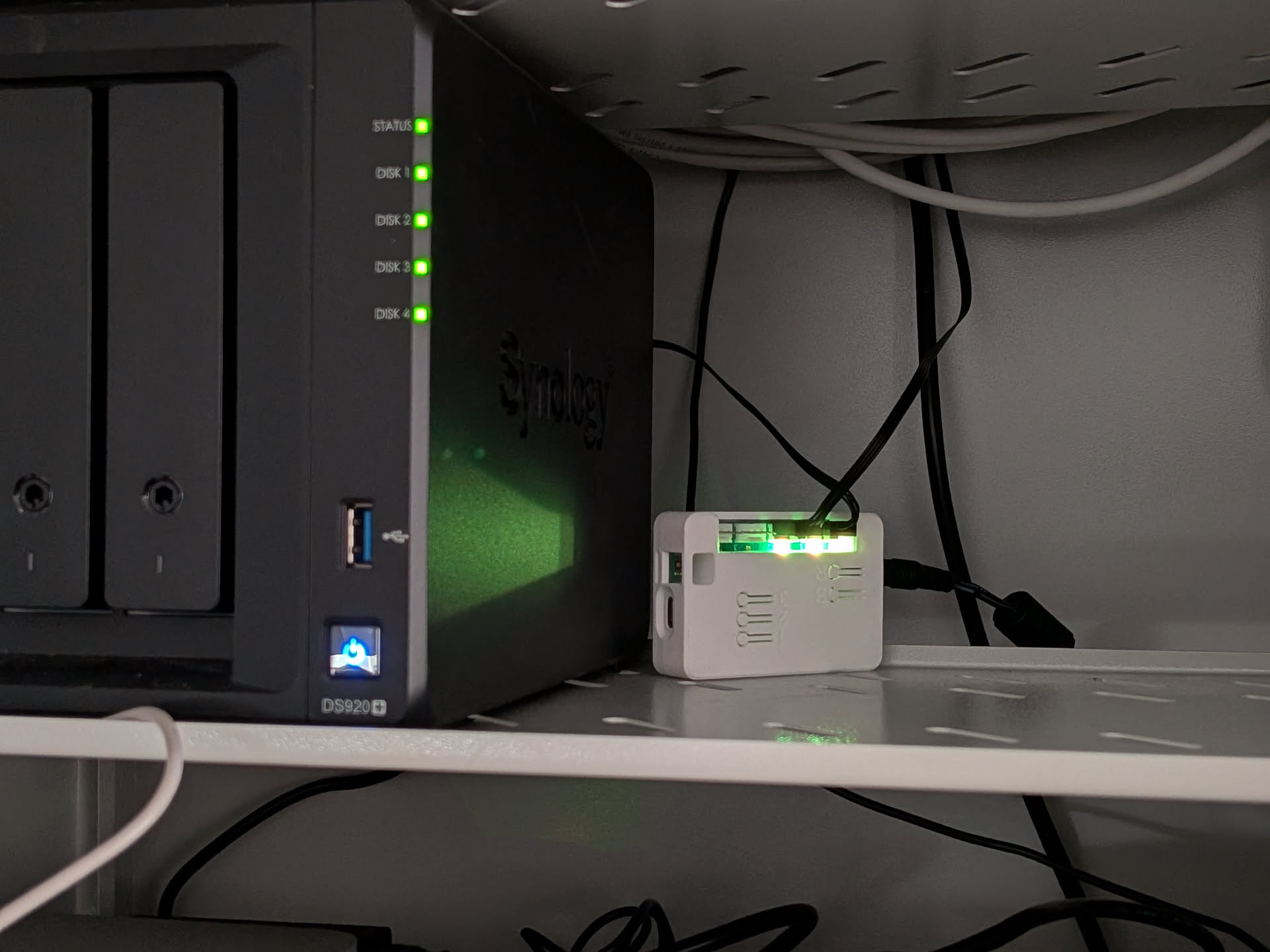
This integrates directly into Home Assistant via ESPHome - temperature tracking through the onboard HDC1080 sensor, fan speed control, and warning notifications when things get too hot. The setup is silent at idle and only gets louder when there’s actual thermal load.
From Prototype to Product
Section titled “From Prototype to Product”After a hand-soldered prototype that was mostly hot glue and shame, I went down the custom PCB rabbit hole. Five revisions later - reversed status LED, missing level shifters, low fuse ratings - I arrived at Rev 3.3, and it finally does everything right.
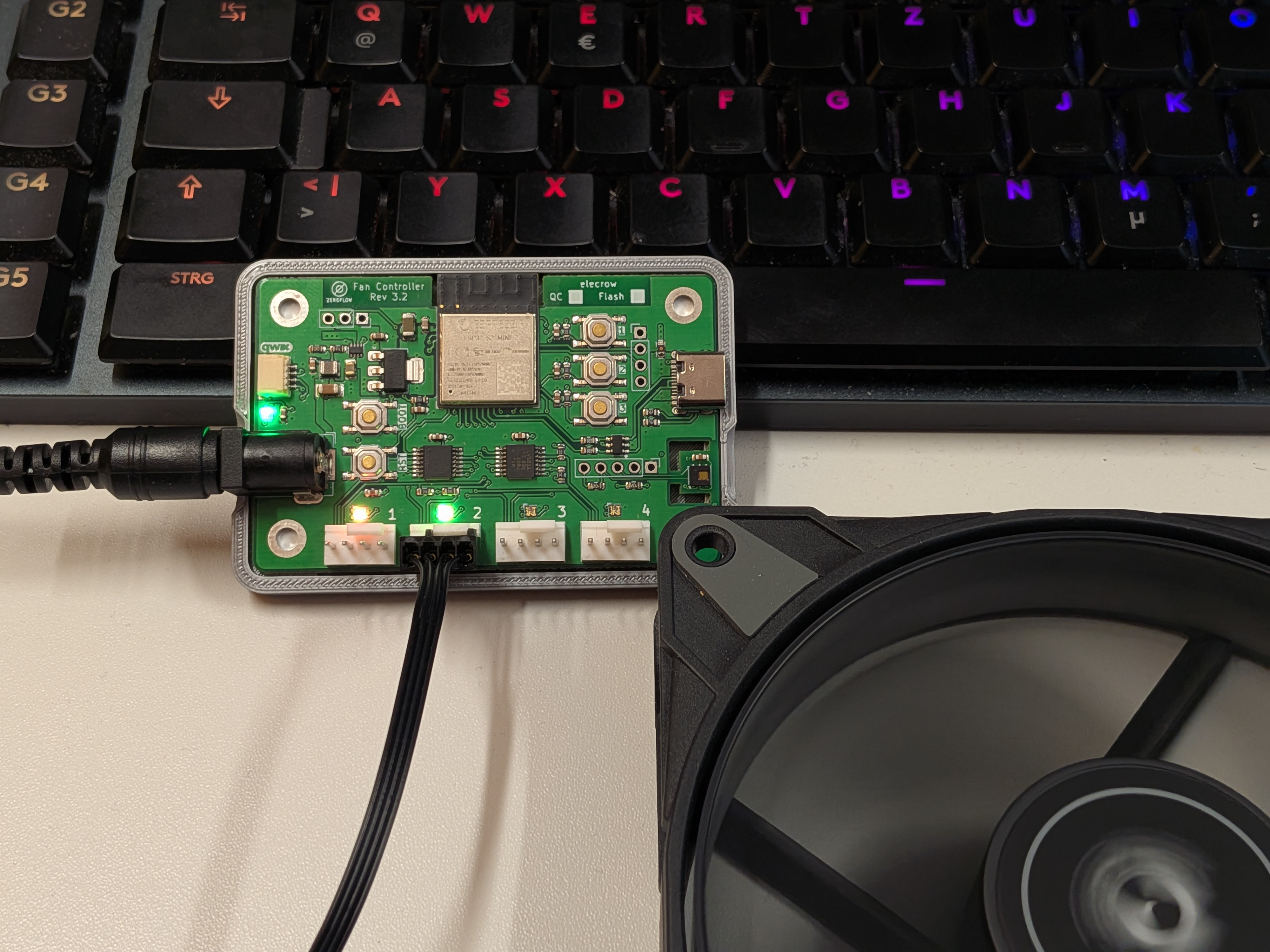
The stack:
- ESP32-S2 as the brain
- ESPHome firmware on the device
- Home Assistant on the backend
- 12V barrel jack input powering 2x 120mm exhaust fans
- RGB LEDs next to each fan header - color wheel from red (stopped) to green (full RPM)
- 0.25W idle draw - power consumption is dominated by the fans themselves
The Results: Rock-Solid Temperature Control
Section titled “The Results: Rock-Solid Temperature Control”With PID temperature control enabled, the rack temperature stays at 25 +/- 0.5 degrees C - regardless of whether everything is idle or AI training is running at full tilt.
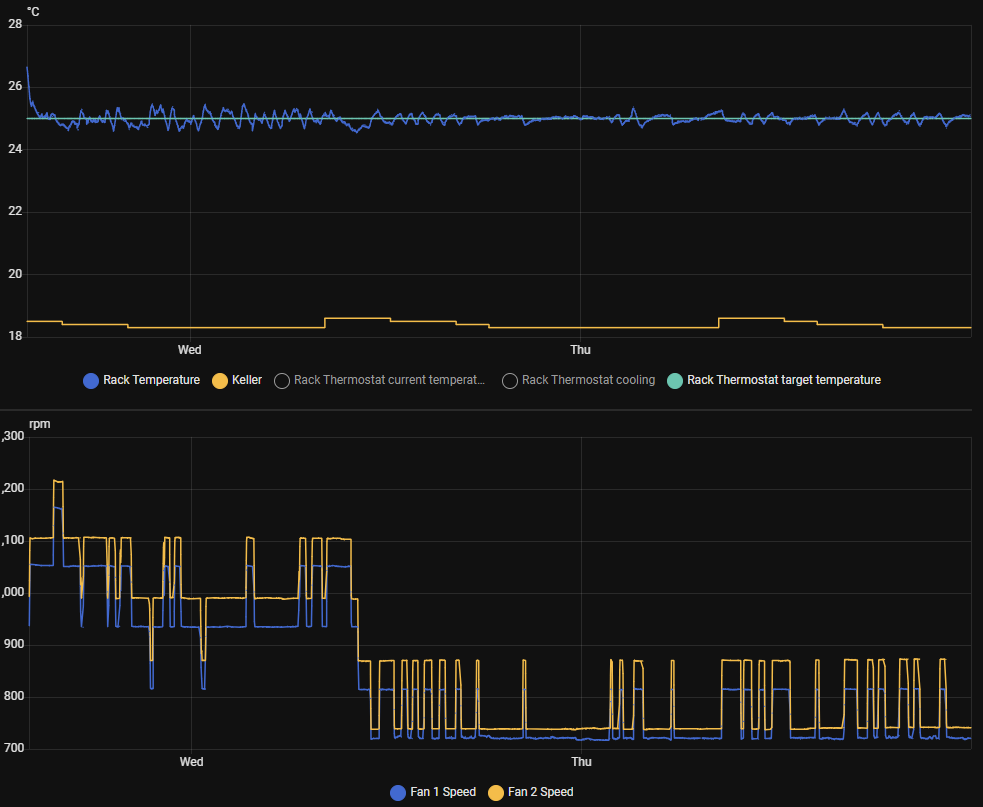
The graph shows rack temperature (blue) vs. cellar ambient temperature (yellow) and fan RPM over approximately 2 days. The PID controller keeps things remarkably stable - fans only spin up when there’s actual heat to deal with.
Home Assistant Dashboard
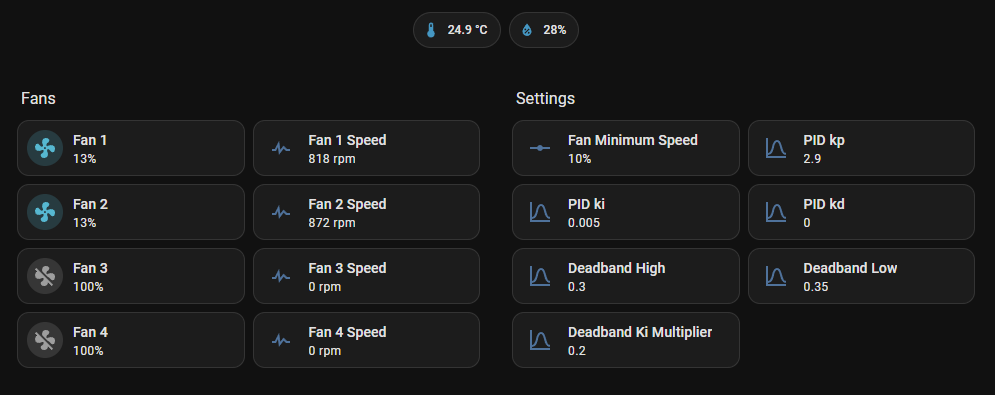
Section titled “Home Assistant Dashboard”Everything is controllable from the HA dashboard - individual fan speeds, RPM readings, PID parameters, and deadband settings. The onboard sensor reports temperature and humidity in real time.
What’s Next
Section titled “What’s Next”I’m still tuning the fan curves. Currently they only react to rack temperature alone. Ideas for improvement:
- Cellar ambient temperature as a secondary input - if the room is already warm, the fans should compensate earlier
- UPS power draw as a proxy for compute load - if the servers are working hard, start cooling before the temperature even rises
- Seasonal profiles - different target temperatures for summer vs. winter
Try It Yourself
Section titled “Try It Yourself”The hardware and all ESPHome configurations are fully documented:
- Product Page & Documentation - setup guides, module reference, hardware specs
- GitHub Repository - full schematics and ESPHome YAML packages
- Buy on Elecrow ($35.99) or Tindie ($54.99)
Whether you’re cooling a server rack, a 3D printer enclosure, or a grow tent - if you need smart PWM fan control with Home Assistant, this board has you covered.